🎧 Looking to start music production but overwhelmed by DAWs?
You’re not alone.
Choosing the right DAW (Digital Audio Workstation) as a beginner can make the difference between frustration and fast progress. In 2026, there are dozens of options — but only a few are truly beginner-friendly while offering powerful tools you’ll grow into.
In this guide, you’ll discover the best DAW software for beginners, what makes them great, and how to pick one that fits your workflow — even if you’ve never made music on a computer before.
Why Choosing the Right DAW Matters (Even for Beginners)
Before we dive into the options, let’s understand why the DAW you choose is important:
- 🎼 Ease of learning – Some DAWs are intuitive; others are complex.
- ⚙️ Features vs simplicity – Too many features can overwhelm beginners.
- 💻 Computer requirements – Some DAWs need powerful PCs/Macs.
- 🎹 Growth potential – Good DAWs scale with your skills.
- 📚 Learning resources – Tutorials, forums, and communities matter.
In 2026, with AI-assisted production tools and cloud integration becoming standard, beginners now have more choices than ever — but the best ones combine simplicity, power, and support.
How We Chose These DAWs
To be listed in this guide, DAWs had to meet the following criteria:
✔ Beginner-friendly interface
✔ Good balance of features vs usability
✔ Strong community & tutorial support
✔ Regular updates + 2026-ready features
✔ Works well on latest Windows & macOS systems
1. Cakewalk by BandLab — Best Free DAW for Beginners
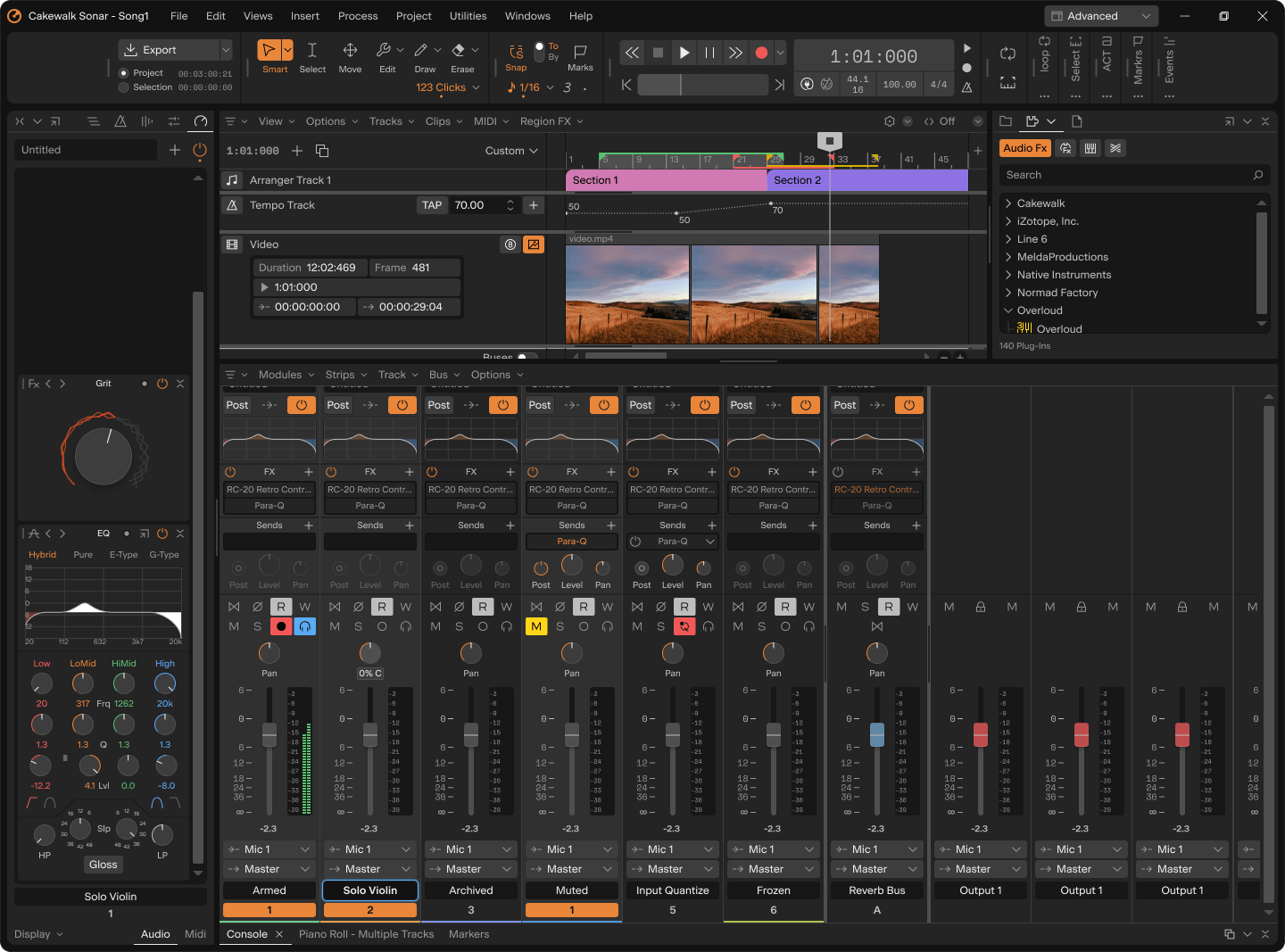


If you want powerful tools without paying a cent, Cakewalk is perfect.
Why Beginners Love It
- Free forever — full-featured DAW with no paywall.
- Windows-only — optimized for PC users.
- Excellent for recording, editing, mixing, and mastering.
- Large online community with free tutorials.
Pros
✔ Professional-grade features
✔ Unlimited tracks & plugins
✔ Great MIDI editing
Cons
✖ Only Windows
✖ Can be intimidating at first
👉 Best if you want a free, no-compromise DAW that feels like pro software.
2. FL Studio — Best for Beat Makers & Electronic Beginners
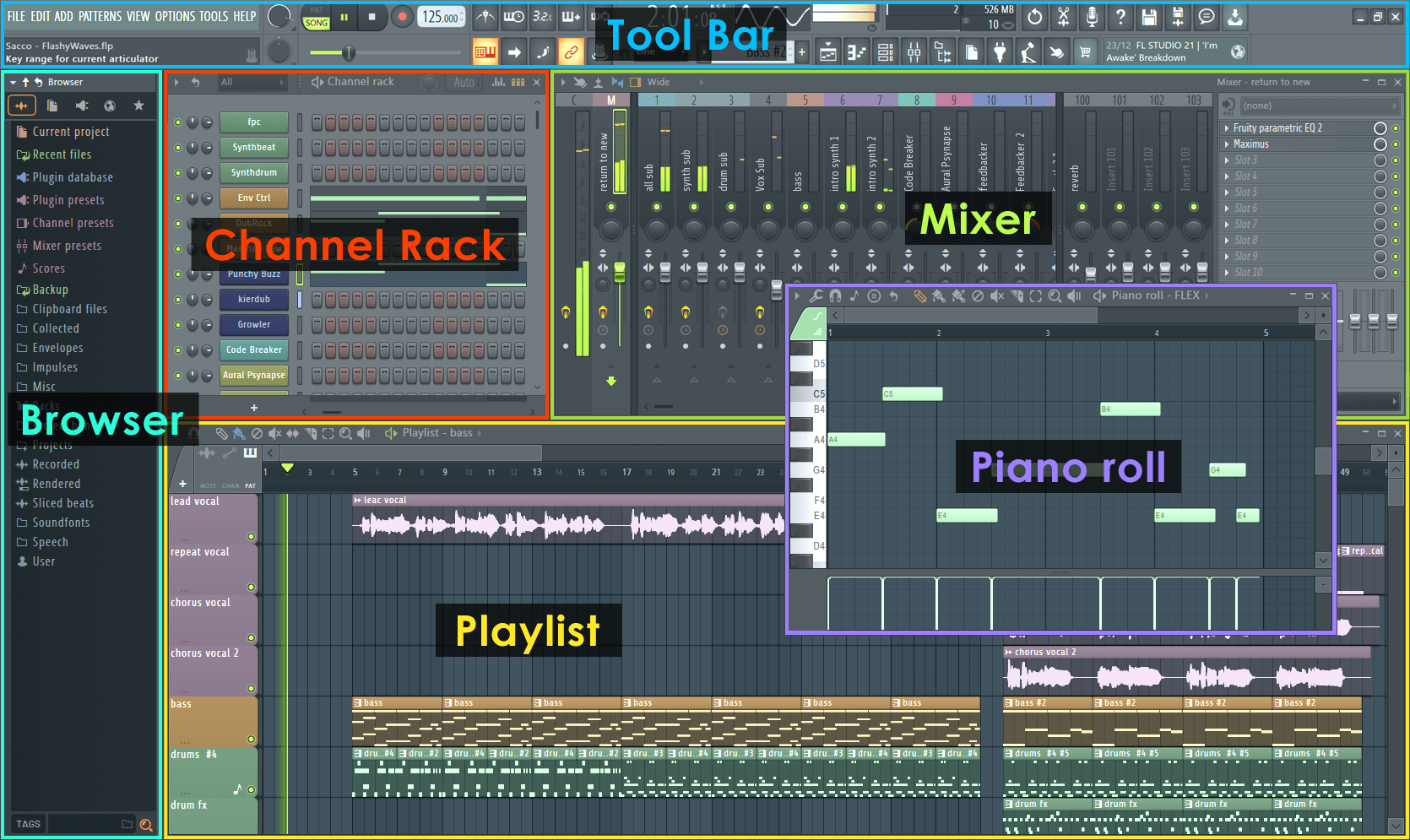
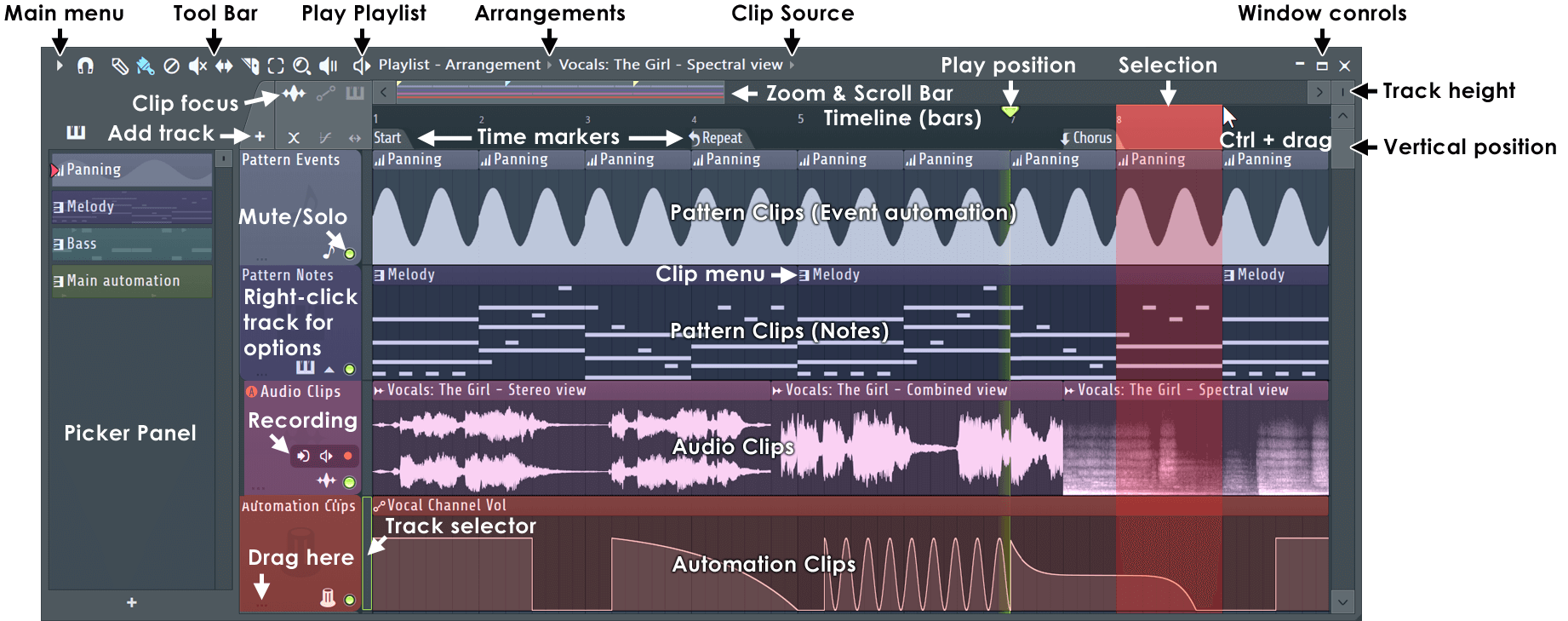
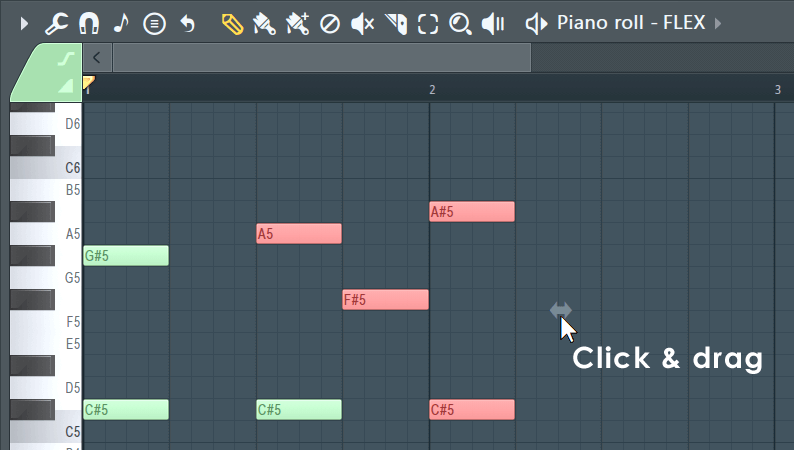
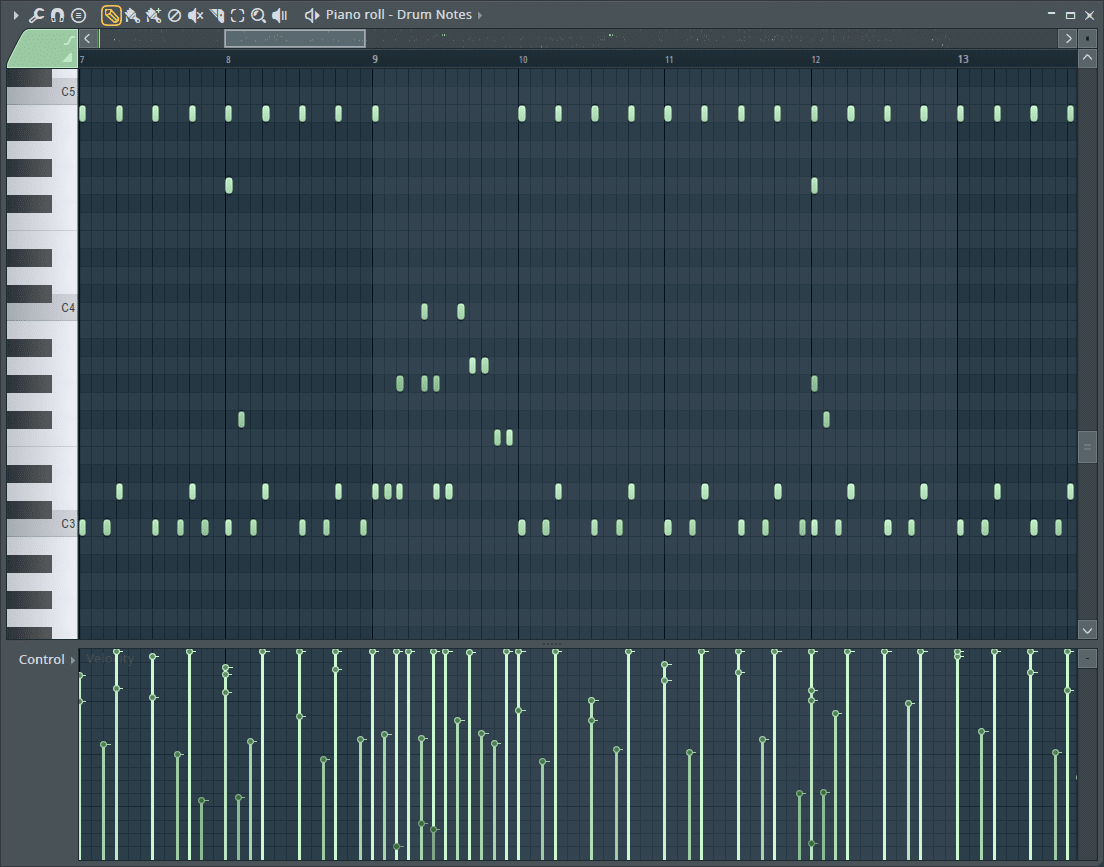
FL Studio has been a top choice since the 2000s and remains ideal for beginners focused on beats, loops, and electronic music.
Highlights
- Intuitive pattern-based workflow.
- Super popular for EDM, hip-hop, and pop beats.
- Lifetime free updates — buy once, get future versions free.
Pros
✔ Fun and easy to learn
✔ Great piano roll & loop features
✔ Lots of included instruments
Cons
✖ Mixer not as traditional as other DAWs
✖ Can feel overwhelming with plugins
👉 Best for beat makers, producers, and loop-based workflows.
3. GarageBand — Best Beginner DAW for Mac Users
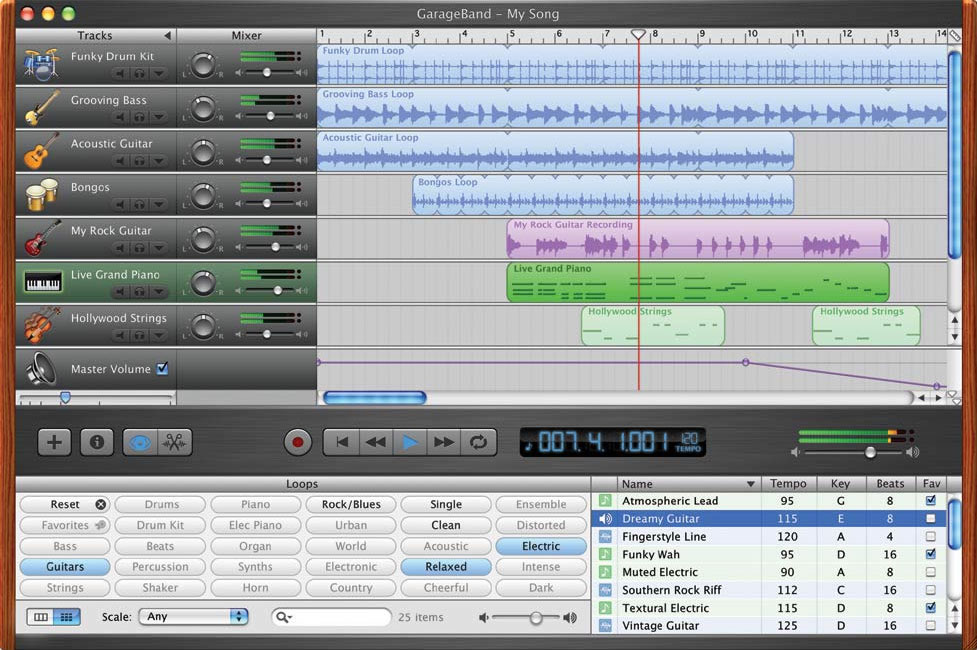
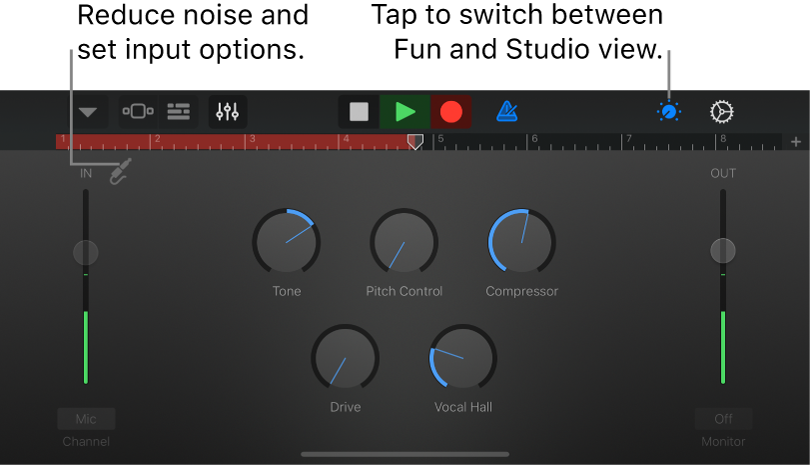
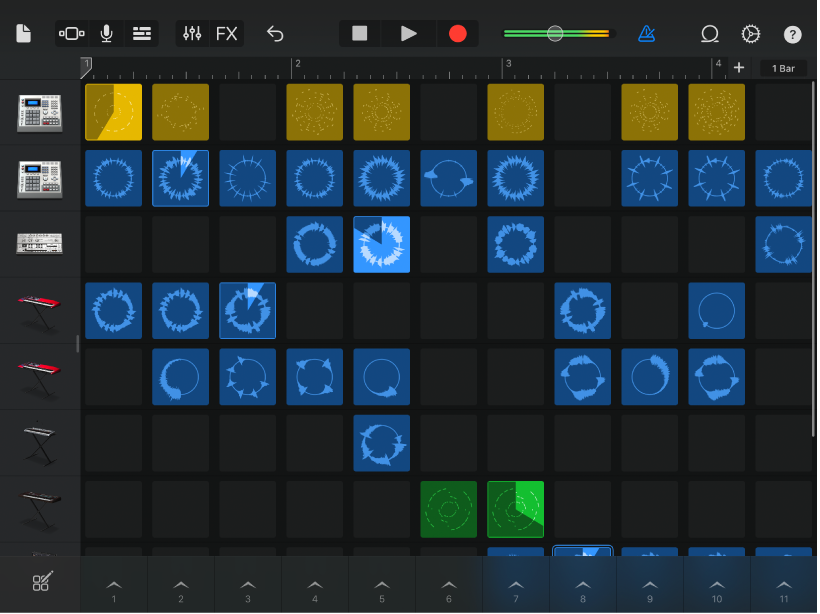
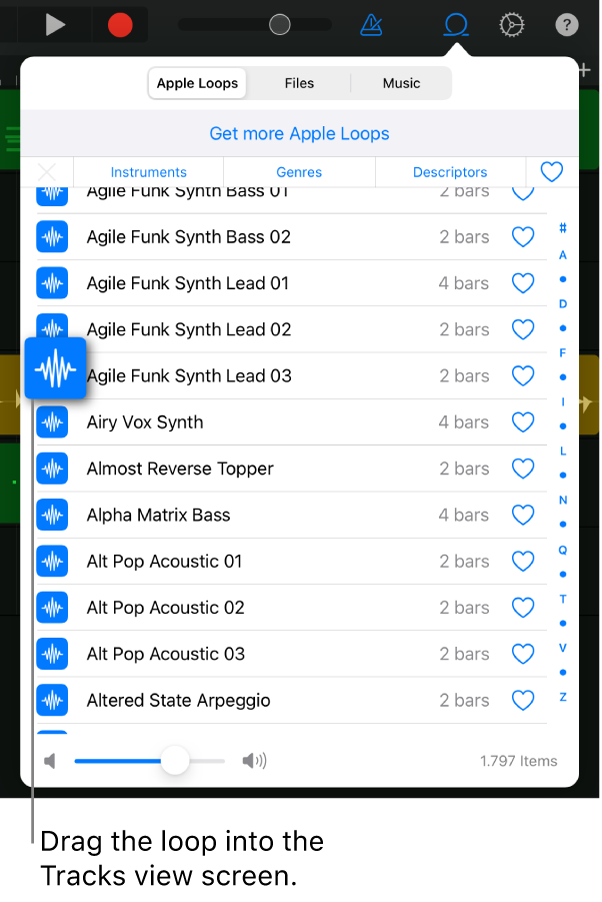
If you have a Mac, GarageBand is one of the easiest ways to start making music.
Why It’s Great
- Free for macOS and iOS.
- Extremely simple interface.
- Great built-in loops and instruments.
Pros
✔ Zero learning curve
✔ Works on Mac/iPad
✔ Ideal for recording vocals & instruments
Cons
✖ Limited advanced features
✖ Not ideal for large projects
👉 Best if you want to learn music production with minimal setup.
4. Ableton Live Intro — Best for Live Play & Creative Flow
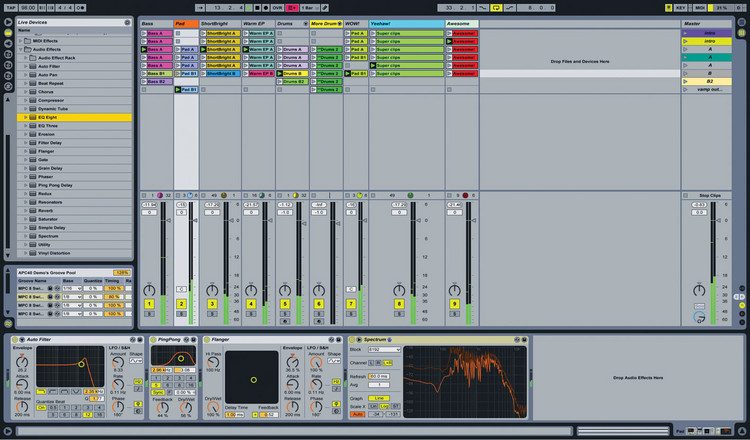

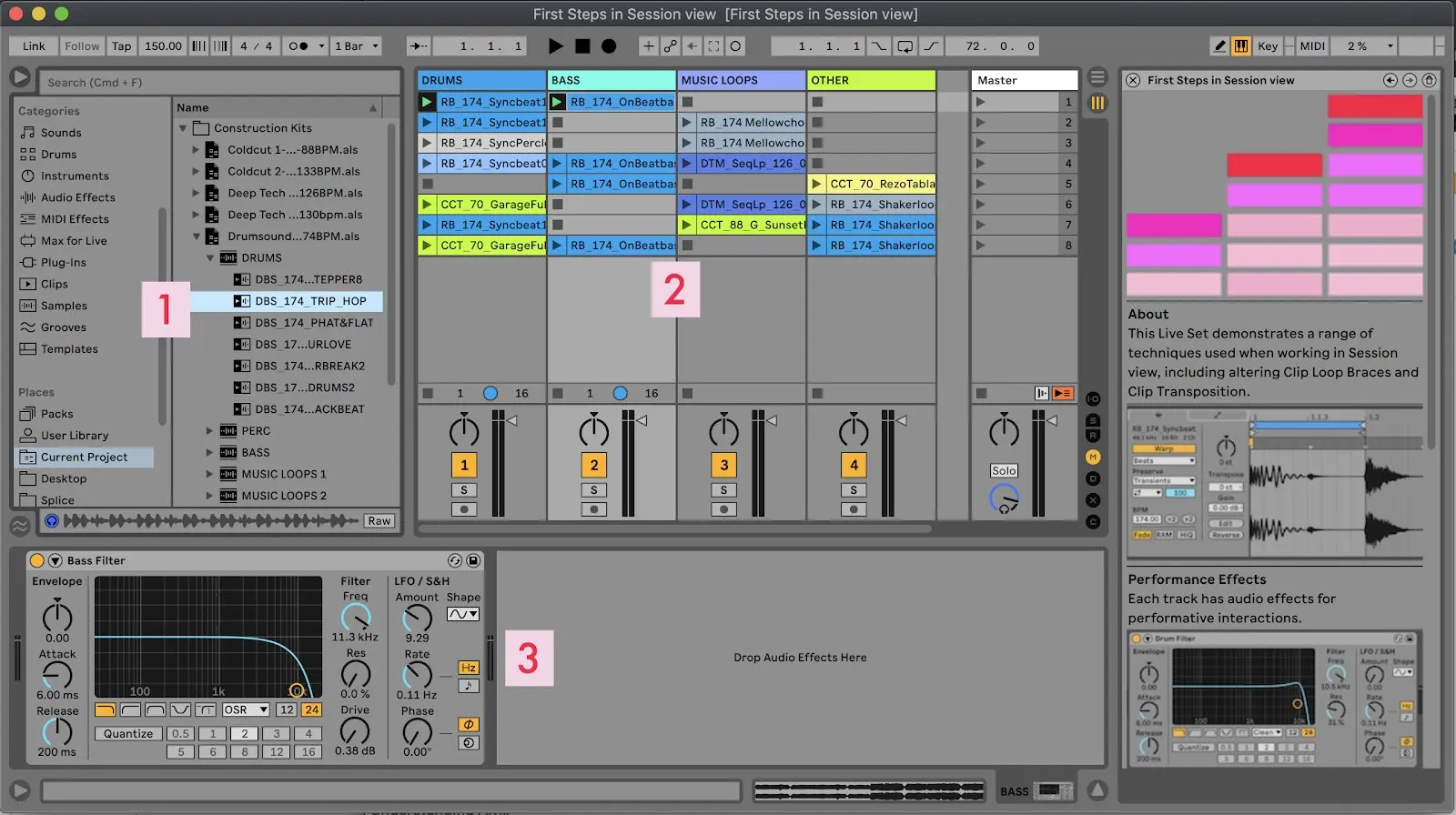
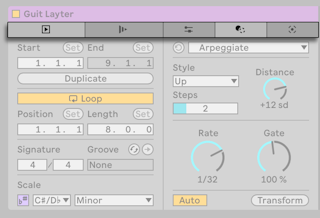
Ableton Live changed the music production game with its session view, blending recording, performance, and experimentation.
Key Features
- Unique session workflow (great for improvisation).
- Excellent for electronic music and live performance.
- Tons of tutorials and templates.
Pros
✔ Innovative workflow
✔ Perfect for loops & live sets
✔ Scales to advanced versions
Cons
✖ Initial learning curve
✖ Intro version limits tracks & effects
👉 Best if you want to experiment freely and perform live.
5. Reaper — Best Flexible DAW for Beginners Who Want Customization


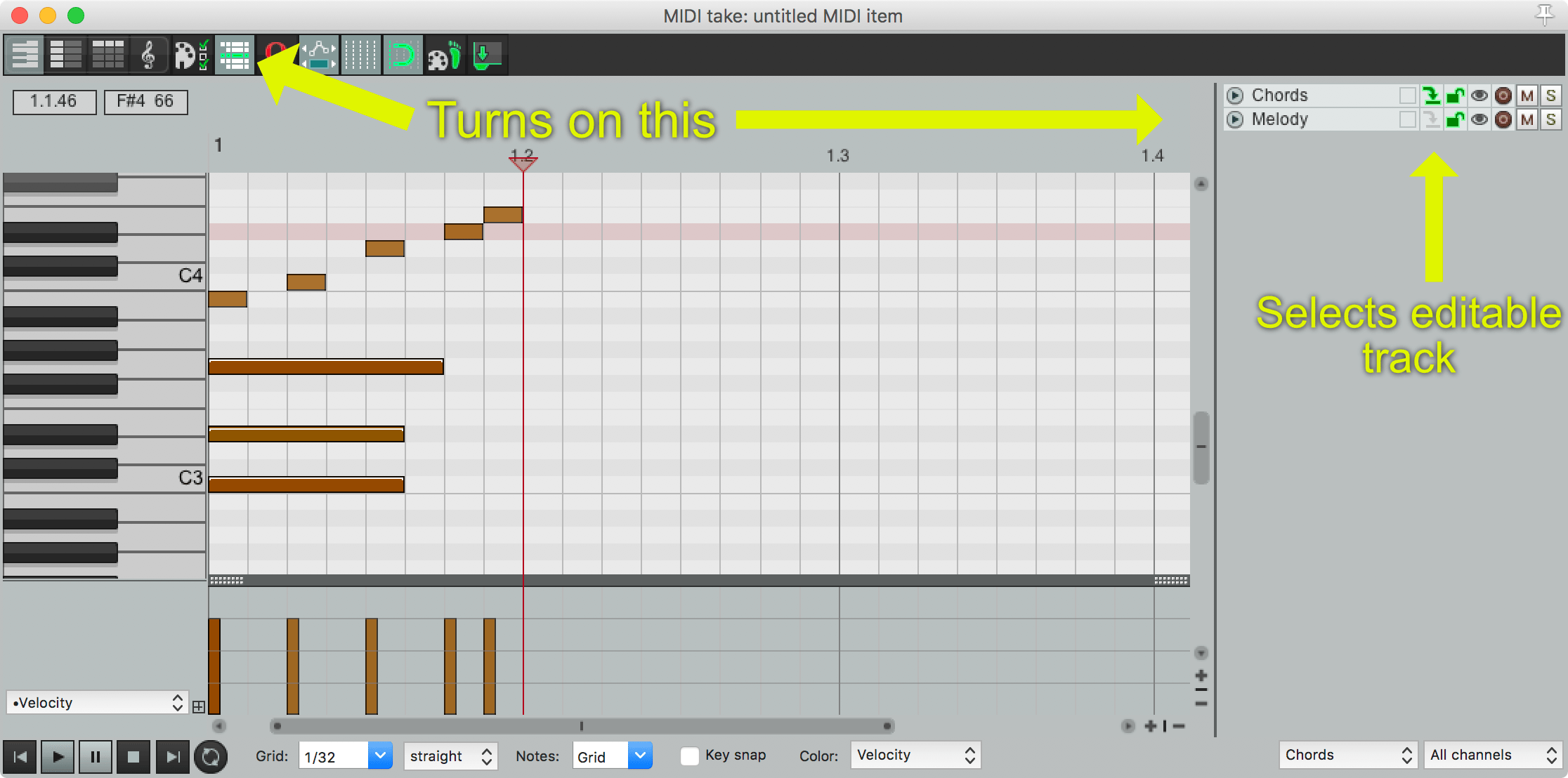
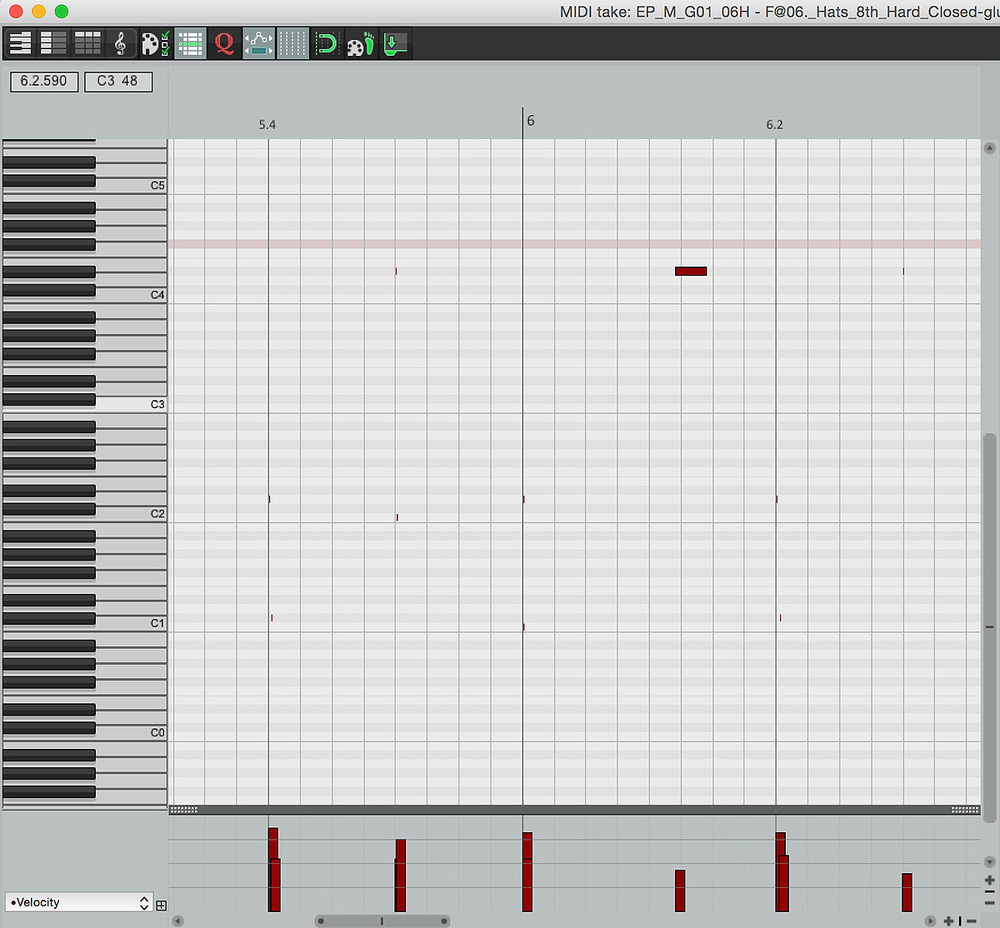
Reaper isn’t flashy — but it’s incredibly powerful, customizable, and lightweight.
Highlights
- Small installer, low CPU usage.
- Deep customization options.
- Affordable license with generous trial.
Pros
✔ Works on both Windows & Mac
✔ Highly customizable
✔ Very stable & fast
Cons
✖ No built-in instruments
✖ Interface isn’t as polished
👉 Best for beginners who want control and efficiency.
6. BandLab Online DAW — Best for Cloud & Collaboration

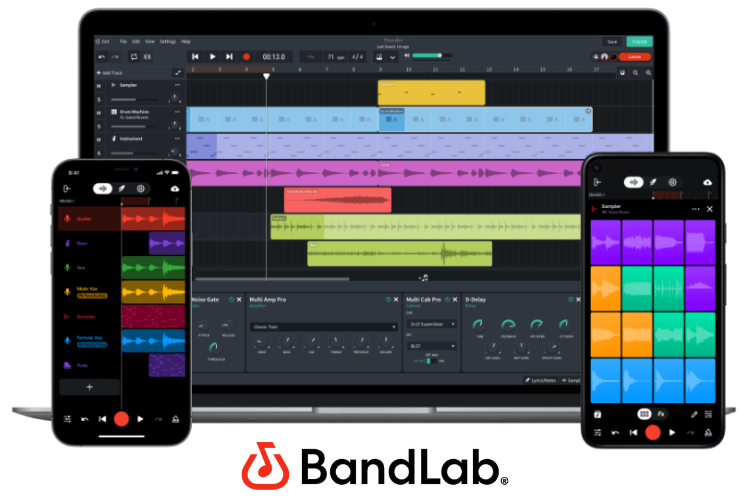

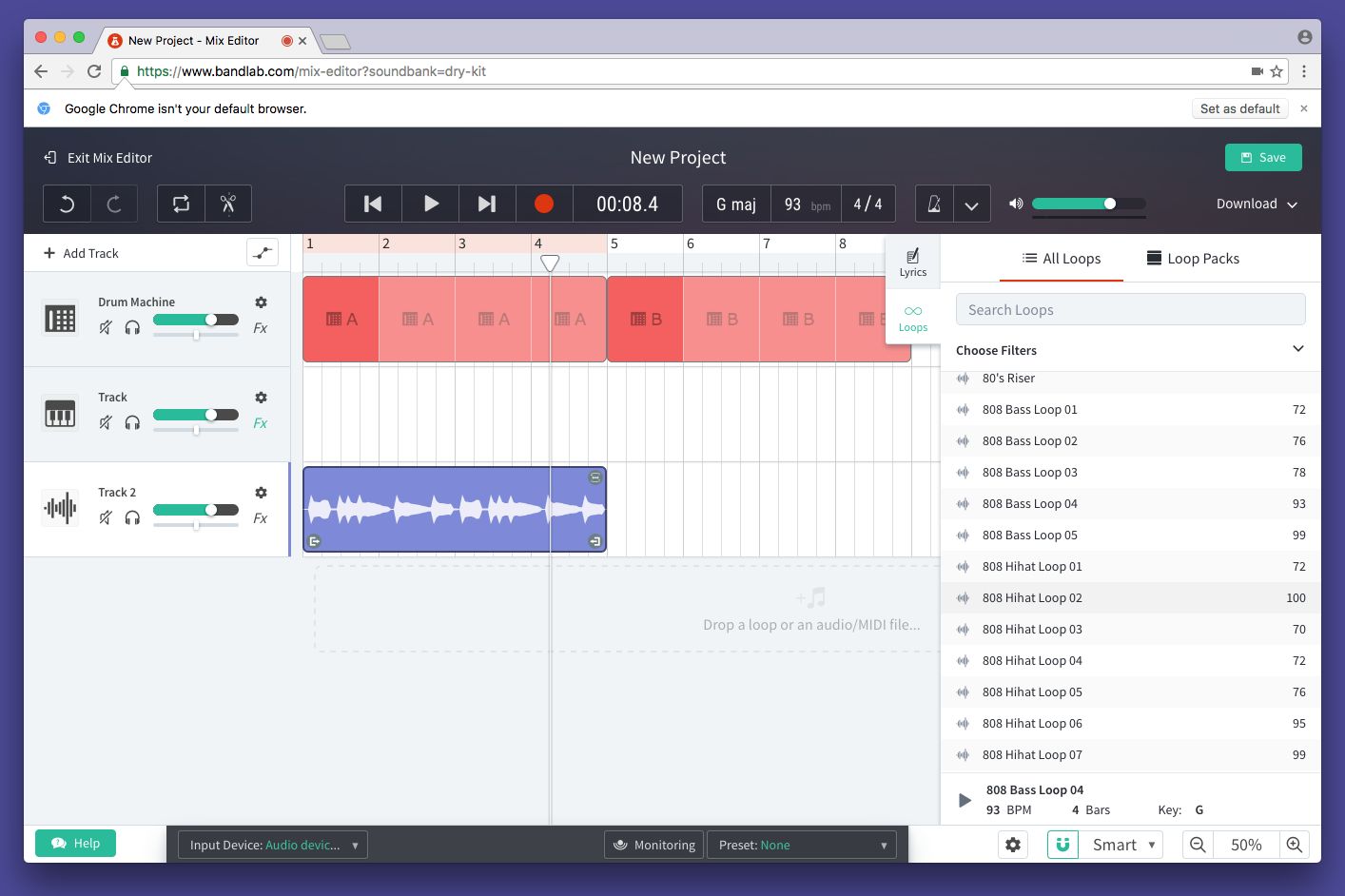
If you want music production in a browser with social sharing built-in, BandLab is ideal.
Why It’s Unique
- No installation required.
- Works on any device with a browser.
- Built-in social music community.
Pros
✔ Free & cloud-based
✔ Great for collaborative projects
✔ Easy loop recording
Cons
✖ Limited advanced features
✖ Internet required
👉 Best for beginners who want cloud simplicity and collaboration.
How to Choose the Best DAW for YOU
When picking a DAW, ask yourself:
1. What style of music are you making?
- Beats/loops → FL Studio / BandLab
- Live instruments → GarageBand / Cakewalk
2. What device are you using?
- Mac → GarageBand, Reaper, Ableton
- Windows → Cakewalk, FL Studio, Reaper
3. Do you want free or paid?
- Free → Cakewalk, BandLab, GarageBand
- Paid but powerful → Ableton, FL Studio
4. Do you plan to grow?
Choose a DAW you won’t outgrow in 3–5 years.
Beginner Tips to Get Started Fast
🔥 Start with templates – Most DAWs come with beginner templates.
🎧 Use loops & presets – Great for learning structure.
📚 Follow YouTube tutorials – Search for DAW + “beginner tutorial”.
🎶 Invest in headphones – Better sound clarity = better music.
🛠 Learn MIDI basics – It’s essential for digital production.
Bonus: 2026 Trends in DAW Software
The world of DAWs is evolving fast. Here’s what’s trending in 2026:
🔹 AI-Assisted Music Generation – AI helps with chords, drums, and melodies.
🔹 Cloud Collaboration – Work with other producers online.
🔹 Touch & Mobile DAW Growth – Music on tablets & phones.
🔹 Integrated Sound Libraries – High-quality presets included.
These trends mean even beginners can create polished tracks faster than ever before.
Frequently Asked Questions (FAQ)
1. What is a DAW?
A DAW (Digital Audio Workstation) is software used to record, edit, and produce music or audio.
2. Which DAW is best for absolute beginners?
For most beginners, GarageBand (Mac) and Cakewalk (Windows) are the easiest starting points.
3. Do I need an expensive computer to run DAWs?
No. Many DAWs (like BandLab, Cakewalk, Reaper) run well on modest computers. Only large projects require more power.
4. Should I learn music theory before using a DAW?
No — basic music theory helps, but it’s not required to start making music.
5. Are free DAWs good enough for real music production?
Yes. Free DAWs like Cakewalk and BandLab are fully capable of professional-level music.
6. Which DAW has the easiest workflow?
GarageBand and BandLab are considered the most beginner-friendly workflows.
Conclusion: Start Making Music in 2026 🚀
There’s no single “best” DAW for everyone — but the right one for YOU depends on your goals, device, and workflow style.
Beginners should focus on usability + community support, so they keep learning without frustration.
Whether you want beat-making, live recording, cloud collaboration, or pro production, this 2026 guide has a DAW for you.
🎵 Pick one, start creating, and don’t wait for perfection — the best time to make music is now!